22
Jul
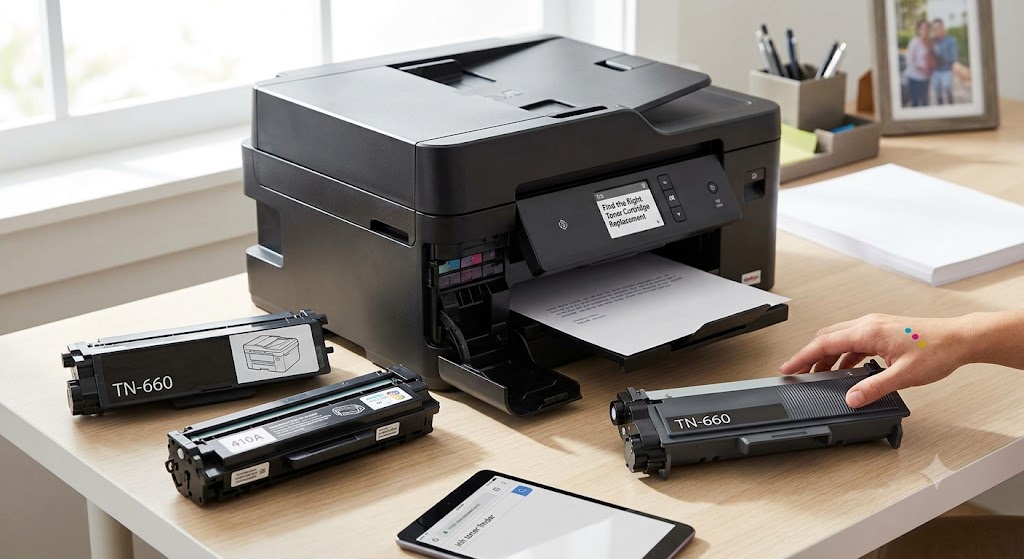
Find the Right Ink Toner Cartridge Replacement 2026
Find the Right Ink Toner Cartridge Replacement, A search for an ink toner cartridge usually starts when a printer stops at the worst possible time: before a school deadline, a customer invoice run, or a busy day in the home office. The good news is that finding a replacement does not need to be complicated. Start with your printer model, confirm whether it uses ink or toner, and choose a cartridge that is made for that exact machine.
For most households and businesses, compatible cartridges offer a practical way to keep printing costs under control without giving up the print quality needed for everyday documents, labels, and color pages. The key is buying the right product from a reliable supplier and replacing it before an empty cartridge interrupts your work.
Ink Toner Cartridge: What Is the Difference?
The phrase ink toner cartridge is often used as a catch-all term, but ink cartridges and toner cartridges work differently. Your printer uses one or the other, not both.
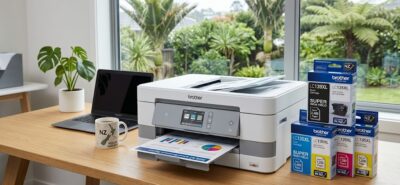
Ink cartridges are used in inkjet printers. They contain liquid ink and are commonly found in home printers, photo printers, and compact all-in-one machines. Inkjet printers are a good fit for occasional printing, color documents, school projects, and photos. Most use separate black and color cartridges, although some models use a single tri-color cartridge.
Toner cartridges are used in laser printers. Instead of liquid ink, they contain a fine powder called toner. Laser printers are popular with offices and busy home users because they print sharp text quickly and can produce a high number of pages from one cartridge. Toner is especially cost-effective when you regularly print reports, forms, shipping documents, or invoices.
Before ordering, look at the front of the printer or check its settings menu for the full model number. A cartridge that looks similar to yours may not fit or be recognized by a different model. Matching the cartridge code and printer model is the safest way to avoid a costly mistake.
How to Find the Correct Find the Right Ink Toner Cartridge Replacement
Printer brands often use cartridge names that can be confusing at first. The simplest approach is to identify your printer, then match it to the cartridge number listed on your current supply or in the printer manual.
For example, a Brother, Canon, Epson, HP, Fuji Xerox, or Samsung printer may have several cartridge options within the same family. Some models accept standard-yield and high-yield versions. Both can fit the same printer, but the high-yield option contains more ink or toner and generally delivers a lower cost per page.
Check these details before placing an order:
- Your printer brand and complete model number
- The cartridge or toner code shown on the old cartridge
- Whether you need black, color, or a complete multipack
- Whether your printer supports standard-yield, high-yield, or extra-high-yield cartridges
- Whether you also need a drum unit, waste toner box, or label tape
A multipack can be a sensible choice for color inkjet printers because all colors tend to run low at different times. For a laser printer used mainly for black-and-white paperwork, a high-yield black toner cartridge may offer better value and reduce how often you need to reorder.
Do Not Confuse Toner With a Drum Unit
Many Brother and laser printer owners need to replace a drum unit separately from the toner cartridge. Toner supplies the powder used to create the printed image, while the drum transfers that image onto the paper. They have different page yields and replacement schedules.
If your printer displays a “replace toner” message, you usually need toner. If it displays “replace drum,” ordering toner alone will not clear the issue. Read the exact message on the printer screen before buying. This small check can save time and prevent unnecessary purchases.
Why Compatible Cartridges Make Sense
Original equipment manufacturer, or OEM, cartridges are made by the printer brand. Compatible cartridges are made by third-party manufacturers to work with specific printer models. A well-made compatible option can provide dependable everyday printing at a much lower price than an OEM replacement.
For a family printing homework, event tickets, and forms, those savings add up over a year. For a small business printing packing slips, customer records, quotations, and labels, the difference can be more noticeable. Lower supply costs help keep routine admin work from becoming an expensive overhead.
The right compatible cartridge should be clearly labeled for the printer models it supports and packaged to protect it during delivery. It should also be backed by a straightforward return, refund, or replacement policy in case there is a genuine compatibility issue.
There are trade-offs to consider. If you print professional gallery-quality photographs or need exact brand-specific color matching for a design job, OEM ink may be the better fit. For most standard office documents, school printing, labels, and general color use, compatible ink and toner provide a budget-friendly alternative that meets everyday needs.
Get Better Value From Every Cartridge
The cheapest cartridge is not always the best value. Page yield matters. A low-priced standard cartridge may cost less upfront, but a high-yield cartridge can be the more economical option if you print regularly.
Page-yield figures are estimates based on standardized testing, so your actual results depend on what you print. A text-heavy black-and-white document uses far less supply than full-page photos, dark graphics, or large color presentations. Frequent cleaning cycles can also use ink, particularly on inkjet printers that sit unused for long periods.
To make supplies last longer, use draft mode for internal documents when print quality is not critical, preview pages before printing, and avoid printing unnecessary emails or web pages. For inkjet printers, print a small page every week or two if the machine is rarely used. Regular use helps reduce the chance of ink drying in the printhead.
When choosing toner, do not shake or force a cartridge into place. Follow the installation guide for your printer, remove all seals and protective tabs, and handle the cartridge carefully. If a toner cartridge is leaking or damaged, do not install it. Keep it in its packaging and contact the supplier for support.
Know When It Is Time to Replace Supplies
Low-ink and low-toner alerts are useful, but they do not always mean printing must stop immediately. An inkjet printer may continue producing acceptable pages for a short period after the first warning. A laser printer can sometimes print a few more pages after a low-toner message, although output may begin to look faded.
Common signs that replacement is due include faded text, streaks, missing colors, repeated low-supply alerts, or blank areas on the page. First, check that the cartridge is seated correctly and that any protective tape has been removed. For inkjet printers, run the printer’s standard cleaning cycle only when necessary. Repeated cleaning uses ink and may not solve a cartridge that is genuinely empty.
If print quality problems continue after installing a new cartridge, the issue may be the printer itself. A clogged printhead, worn drum unit, damaged roller, or incorrect paper settings can affect results. It is worth checking the printer message and troubleshooting guide before assuming every problem is caused by the cartridge.
Keep a Spare Without Overbuying
Running out of black ink or toner is frustrating, especially when replacement supplies are needed quickly. Keeping one spare for your most-used printer is a simple way to avoid downtime. This is particularly useful for home offices, small businesses, and anyone who prints labels or documents on a deadline.
Store unopened cartridges flat or upright as directed on the packaging, in a cool, dry place away from direct sunlight. Do not open an ink cartridge until you are ready to install it. Ink can dry out once exposed to air, while toner cartridges should remain sealed until needed to protect them from moisture and damage.
For regular printing, choose the cartridge based on your printer model, expected page volume, and the type of work you produce. A dependable compatible replacement gives you a practical balance of quality, availability, and price, so your printer is ready when the next important page needs to come out.