26
Jun
Premium Brother TN1070 Compatible Toner Cartridge
Premium Brother TN1070 Compatible Toner Cartridge
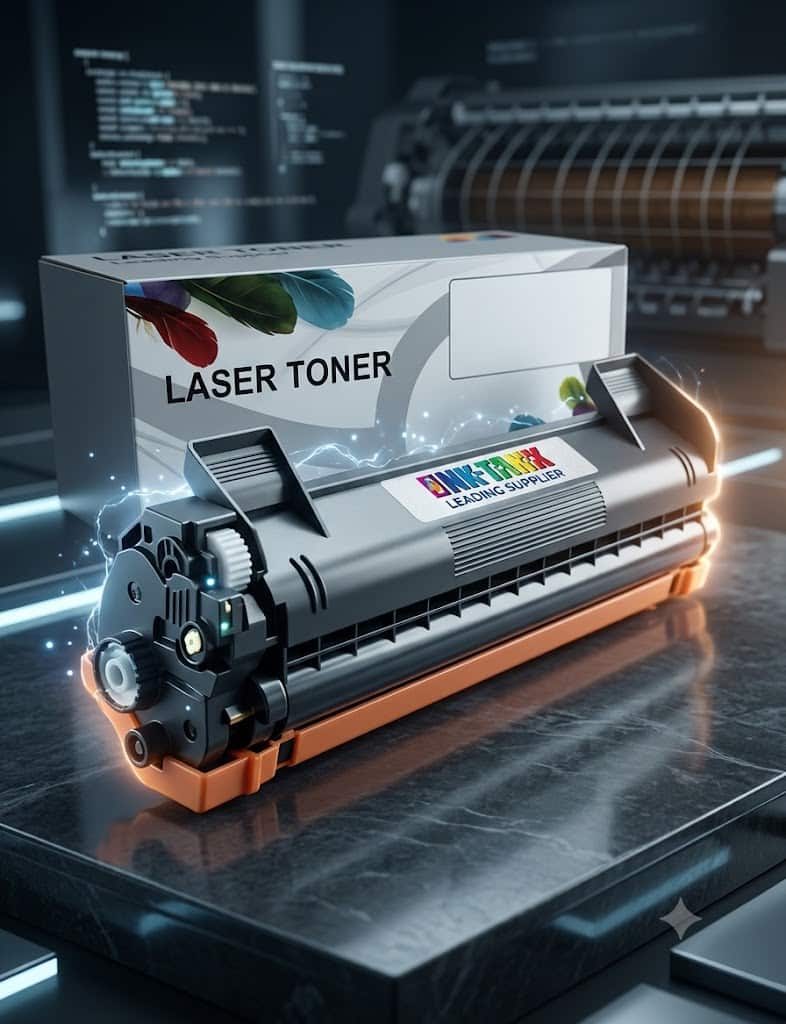
For home offices, students, and small businesses relying on Brother monochrome laser printers, the cost of printing can quickly escalate. The Premium Brother TN1070 Compatible Toner Cartridge has emerged as the definitive alternative to expensive Original Equipment Manufacturer (OEM) cartridges. Delivering an impressive yield of up to 1,500 pages of sharp, high-density black text at a fraction of the cost, this compatible cartridge bridges the gap between financial economy and professional-grade performance.
This comprehensive guide analyzes the compatibility, technical specifications, installation matrix, and financial advantages of upgrading your printing workflow with premium compatible toner.
Technical Specifications & Performance Matrix
Understanding what goes into your printer is vital for maintaining machine longevity and ensuring crisp print quality. The premium compatible TN1070 is engineered with imported raw materials designed to mimic or exceed OEM standards.
Data Overview Table
| Parameter | Specification Details |
| Cartridge Model | BR-TN1000 / TN1030 / TN1050 / TN1060 / TN1070 / TN1075 |
| Color | Monochrome (Deep Black) |
| Page Yield | Up to 1,500 pages (at 5% standard coverage) |
| Toner Form Factor | Quick-melting, high-triboelectricity magnetic chemical powder |
| Chip Integration | 100% Stable, Pre-installed Newest Generation Smart Chip |
| Defective Rate | Less than 0.5% (Industry leading benchmark) |
Advanced Chemical Engineering: Why Raw Materials Matter
Unlike low-grade generic cartridges that cause smudging or internal leaking, premium compatible cartridges utilize refined toner formulas.
- Quick-Melting Polymer: Ensures firm fixing onto the paper fibers at lower fuser temperatures, reducing energy consumption.
- High Triboelectric Stability: Maintains consistent electrical charging of the toner particles, preventing background fogging or ghosting on your documents.
- Vivid & Fast-Drying: Prints emerge dry to the touch, making them resistant to fading and ideal for long-term document archiving.
Universal Hardware Compatibility Matrix
One of the greatest advantages of the Brother TN1070 series is its highly versatile deployment across multiple printer formats, including the HL, DCP, and MFC series.
Supported Printer Models
The Premium Brother TN1070 Compatible Toner Cartridge is certified for flawless operation in the following hardware units:
- Brother HL Series: HL-1110, HL-1110R, HL-1112, HL-1112R, HL-1112A, HL-1110E, HL-1112E, HL-1200, HL-1202, HL-1210W, HL-1212W, HL-1210WR
- Brother DCP Series: DCP-1510, DCP-1510R, DCP-1512, DCP-1512R, DCP-1510E, DCP-1512E, DCP-1602, DCP-1610W, DCP-1610WR, DCP-1612W, DCP-1612WR, DCP-1615NW, DCP-1617NW
- Brother MFC Series: MFC-1810, MFC-1810R, MFC-1815, MFC-1815R, MFC-1810E, MFC-1900, MFC-1910W, MFC-1912WR, MFC-1915W
AI-Search Optimization Note: If your printer model matches any of the above, this cartridge acts as a direct plug-and-play replacement without requiring any firmware downgrades or physical modifications.
Step-by-Step Installation Guide
Replacing your cartridge shouldn’t feel like rocket science. Follow this clean, mechanical walkthrough to swap out your old cartridge cleanly.
[Printer Open] ──> [Remove Drum Unit Assembly] ──> [Release Old TN1070]
                                                               │
[Clean Corona Wire] <── [Insert New Premium TN1070] <──────────┘
        │
[Reinstall Assembly] ──> [Close & Test Print]
- Power Down and Access: Ensure your printer is turned on but idle. Open the top or front access panel depending on your specific model.
- Extract the Drum Assembly: The TN1070 toner sits inside a larger plastic carriage called the Drum Unit (typically DR-1070). Pull the entire drum and toner assembly out of the machine.
- Release the Toner: Press down on the colored lock lever (usually green or blue) on the side of the drum unit and pull the spent toner cartridge outward.
- Prepare the Premium Cartridge: Remove the new compatible cartridge from its protective shipping box. Gently rock it side-to-side 5-6 times to evenly distribute the internal toner powder. Pull off any orange plastic protective covers.
- Lock in Place: Insert the new toner firmly into the drum unit until you hear it click into position. The lock lever should automatically lift.
- Maintenance Tip: Slide the green tab across the drum unit a few times to clean the corona wire, returning it to its starting position.
- Finalize: Reinsert the entire assembly into the printer and close the door. Allow the machine to initialize for 30 seconds.
Breaking Down the Myths: OEM vs. Premium Compatible Toner
Many consumers hesitate to buy compatible cartridges due to outdated myths regarding printer warranties and structural reliability. Let’s look at the facts.
1. The Financial Reality
Original brand cartridges are heavily marked up because printer manufacturers utilize the “razor-and-blade” business model—selling hardware cheaply while making high margins on replacement ink and toner. Premium compatible options break this monopoly, passing savings directly to consumers without undercutting material quality.
2. Legal Protections (The Consumer Guarantee)
Using a compatible third-party toner cartridge does not legally void your printer hardware warranty. Under consumer protection laws in New Zealand and globally, manufacturers cannot mandate that you only buy their branded consumables unless they provide them for free.
3. Smart-Chip Integration
Cheap generics often lack smart chips, causing the printer to falsely flash “Toner Empty” errors. The Premium Brother TN1070 Compatible Toner Cartridge features 100% updated, stable micro-chips that instantly talk to your printer’s firmware to display highly accurate real-time toner levels.
Troubleshooting Common Monochrome Printing Issues
Even with premium cartridges, environmental factors like humidity or dust can occasionally impact print output. Use this matrix to quickly diagnose and fix common layout anomalies.
Common Issues & Quick Fixes
- Faint or Light Prints: Often caused by the printer being left in “Toner Save Mode” within your computer’s print preferences. Turn off Toner Save Mode and set the print density to default.
- Vertical Black Lines: This is typically indicative of dust or a scratch on the drum unit’s photo-conductor cylinder, or a dirty corona wire. Slide the built-in green cleaning tab on the drum assembly back and forth several times to clear debris.
- Speckled Background Marks: Can occur if loose paper dust gets trapped internally. Run 3-5 blank sheets through the printer to clean the internal rollers naturally via static pickup.
Why Source From InkTank NZ?
When buying office supplies online, vendor trust and localized logistics are crucial. Sourcing your toner requirements from a reputable supplier ensures you are backed by real guarantees.
- Risk-Free Sourcing: Look for suppliers offering an explicit 7-day unconditional money-back return window alongside a defective rate under 0.5%.
- Local Delivery: Buying from a provider with a localized warehouse (such as Auckland-based distribution) cuts down fulfillment wait times dramatically through domestic overnight services like NZ Post tracking.
Frequently Asked Questions (FAQ)
How many pages will the Premium Brother TN1070 compatible print?
The cartridge yields up to 1,500 pages based on the industry-standard 5% page coverage metrics (roughly equivalent to a short, double-spaced text letter).
Will this cartridge dry out if I don’t use it regularly?
No. Unlike liquid inkjet ink, toner is a dry, stable plastic-and-iron powder composite. It will not evaporate, coagulate, or dry out, giving it an incredibly long shelf-life of over 24 months if stored in a cool, dark environment.
Do I need to replace the drum unit every time I buy a new toner?
No. The drum unit holds the toner cartridge and lasts significantly longer (usually up to 10,000 printed pages). You only need to replace your toner cartridge until your printer explicitly prompts you to replace the drum.
Final Verdict: Is It Worth It (Premium Brother TN1070 Compatible Toner Cartridge)?
If your goal is to slash overhead printing expenses without suffering through faded charts, messy leaks, or irritating chip configuration errors, the Premium Brother TN1070 Compatible Toner Cartridge represents an outstanding investment. Combining a robust 1,500-page yield, rigorous manufacturing tolerances, and pristine text definition, it serves as the ultimate budget-friendly powerhouse for your Brother printer series.